Trending Games
Most popular games played right now









New Games
Freshly added games ready to explore







Adventure Games
Best Adventure games online








Shooting Games
Best Shooting games online







Google Games
Best Google games online


Sports Games
Best Sports games online




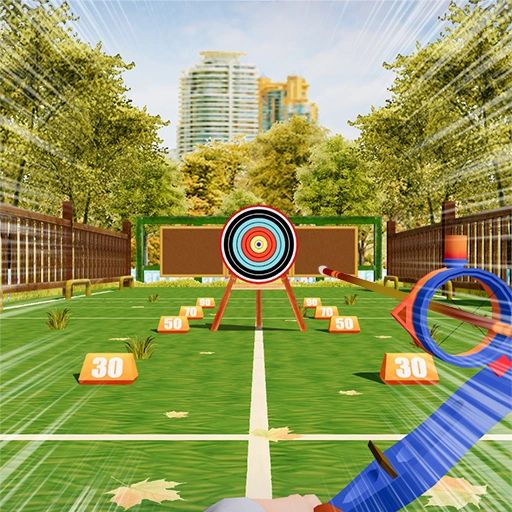
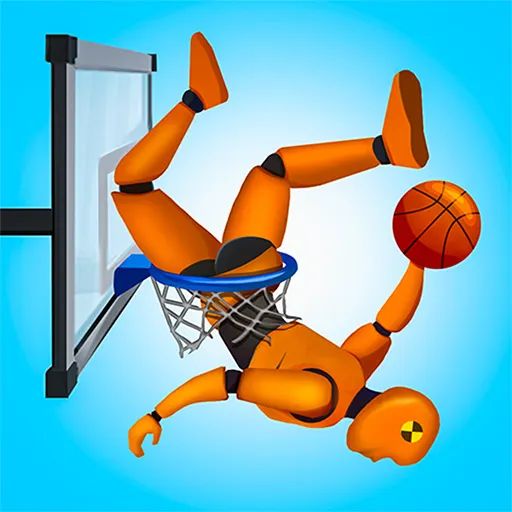
All Games Catalog
Explore hundreds of free online games

About Premium Unblocked Games
Premium Unblocked Games: Discover Free Online Games and Play Your Way
Finding a good online game should be simple. Sometimes you want to race a powerful car around a challenging track. Other times, you might prefer solving a clever puzzle, competing with a friend, scoring goals in a sports game, or enjoying a quick arcade challenge during your free time. Whatever your preference, online gaming offers countless ways to relax, explore new challenges, and have fun.
Premium Unblocked Games is built around the idea of making online gaming easier to discover. With a focus on browser-based entertainment and different gaming interests, the website aims to give players a convenient place to explore games and find experiences that suit their mood.
You do not always need a gaming console, an expensive computer, or a large download to enjoy an entertaining game. Many modern browser games can be played directly on a website, making it easier to get started when you have a little free time. Depending on the game, you may be able to jump into the action with a few clicks and begin exploring its challenges almost immediately.
In this guide, we will explore the world of unblocked games, explain why browser gaming remains popular, introduce different game genres, and share practical tips for choosing games, improving performance, and staying safe online.
Whether you are a casual player or someone who enjoys mastering difficult levels, Premium Unblocked Games is a place to begin exploring your next gaming experience.
What Are Premium Unblocked Games?
The phrase "premium unblocked games" combines two ideas that many online players recognize: discovering quality gaming experiences and finding browser games that are accessible on their devices.
Unblocked games generally refers to online games that players are looking for because they want to access them through a browser or a particular network. The term is commonly used in searches related to school computers, Chromebooks, shared devices, and other environments where access to websites may be restricted.
However, the word "unblocked" does not guarantee that every game will work everywhere. Schools, workplaces, libraries, and other organizations can restrict websites for security, educational, or operational reasons. Access also depends on the browser, device, network, and the game itself.
Premium Unblocked Games focuses on the broader experience of discovering online games across different genres. Instead of limiting your interests to one type of gameplay, you can explore different gaming styles and find something that matches what you want to play.
Perhaps you enjoy high-speed racing. Maybe you prefer strategic thinking or quick reactions. You might want a single-player challenge or a game that lets you compete with another person. Different genres offer different experiences, and discovering which ones you enjoy is part of the fun.
The idea is simple: make game discovery convenient and help players find enjoyable online entertainment.
Why Are Unblocked Games So Popular?
Online gaming has changed considerably over the years. Players can now access games through dedicated applications, consoles, cloud services, and web browsers. Despite these options, browser games continue to attract people who value convenience and variety.
Several factors explain their lasting popularity.
1. Easy Access to Online Entertainment
One of the biggest attractions of browser gaming is the relatively simple setup.
Many games run directly within a compatible browser. Instead of downloading a large installation package, you can visit a game page, allow the content to load, and begin playing if your device and network support it.
This is especially convenient when you want a quick gaming session rather than a long commitment.
For example, you might have a few minutes before your next activity. A short arcade game or racing challenge can provide an entertaining break without requiring you to install a separate application.
Not every game loads instantly, of course. Some require additional resources, a stable connection, or specific browser capabilities. Still, browser-based gameplay can make getting started much easier.
2. Plenty of Game Genres to Explore
People have different tastes, and those preferences can change depending on their mood.
One day, you may want an intense action game. Another day, a relaxing puzzle might be more appealing. You might enjoy sports games with familiar rules or prefer imaginative arcade challenges with unusual mechanics.
A variety of games allows you to explore these interests without sticking to a single style.
The opportunity to discover something new also makes gaming more interesting. A title you have never tried before could become your next favorite.
3. Suitable for Short Gaming Sessions
Not everyone has several hours available for gaming.
Many browser games are designed around short levels, quick rounds, or simple objectives. You can attempt a challenge, improve your score, and return to your other activities when you are finished.
This makes certain games a natural fit for casual entertainment.
However, not all games are short. Adventure titles, progression-based games, and complex challenges may require more time. Choosing a game that matches your schedule can help you enjoy it without feeling rushed.
4. Different Experiences on Different Devices
Browser games can be played on a range of devices, depending on their technical requirements.
A desktop computer or laptop may be ideal for games that depend on keyboard movement and precise mouse controls. A mobile phone may be more convenient for games designed around tapping and swiping. A tablet can offer a comfortable middle ground.
The experience varies from one game to another, so it is helpful to check whether a title supports your preferred device before starting.
5. Opportunities to Improve Your Skills
Many games reward practice, observation, and problem-solving.
A racing game might require you to learn when to accelerate and how to handle corners. A puzzle may ask you to recognize patterns. A platform game could challenge you to time jumps accurately.
These experiences can be satisfying because improvement is easy to notice. A level that seemed difficult at first may become manageable once you understand the mechanics.
You do not need to win every time to enjoy the process. Sometimes, learning how a game works is the most rewarding part.
Explore Popular Types of Online Games
Choosing a game becomes easier when you understand what each category offers. Below are several genres commonly enjoyed by browser-game players.
Actual availability depends on the titles published on Premium Unblocked Games.
1. Action Games: Fast-Paced Challenges
Action games are a good choice when you want energy, movement, and quick decisions.
These games may involve dodging obstacles, defeating opponents, navigating dangerous environments, collecting items, or completing objectives under pressure.
The gameplay often rewards quick reactions and an understanding of movement. As challenges become more difficult, you may need to pay closer attention to timing and positioning.
Some action games are simple enough for beginners to enjoy immediately. Others require practice before their controls and mechanics feel comfortable.
How to Enjoy Action Games
Start by learning the basic controls. Understand how your character moves, how actions are performed, and what the objective requires.
If the game includes a tutorial, use it before attempting difficult levels. A little preparation can save time and reduce frustration.
When you make a mistake, consider what happened rather than immediately repeating the same approach. You may need to move earlier, avoid a particular obstacle, or choose a safer route.
Action games can be exciting, but they are most enjoyable when you have time to focus and learn at your own pace.
2. Racing Games: Speed, Timing, and Precision
Racing games remain a favorite among players who enjoy competition and the excitement of reaching the finish line.
Some titles focus on traditional races, while others feature stunt tracks, unusual vehicles, drifting challenges, or time trials.
The objectives can vary. You might need to finish first, complete a course before the timer expires, avoid traffic, or beat your previous record.
What Makes Racing Games Enjoyable?
Racing games combine straightforward goals with opportunities to improve.
At first, a track may seem difficult because the turns arrive quickly or the vehicle responds differently than expected. After a few attempts, you begin to understand where to slow down, when to accelerate, and how to maintain control.
That feeling of progress can make even a simple racing game surprisingly engaging.
Tips for Better Racing Performance
Learn the controls before entering a difficult race.
Avoid accelerating continuously if the track requires careful steering.
Look ahead for turns and obstacles.
Experiment with different routes when the game allows it.
Focus on consistency instead of taking unnecessary risks.
Not every racing game rewards the same strategy. Some emphasize speed, while others require accurate driving or stunt performance.
Explore different styles to find the kind of racing experience you enjoy most.
3. Car Games and Driving Simulations
Car games extend beyond traditional racing.
Some focus on parking vehicles in tight spaces. Others challenge players to perform stunts, drift around corners, drive across rough terrain, or navigate obstacle courses.
Driving simulations may emphasize vehicle handling, while arcade-style car games often prioritize fast-paced action and unusual situations.
This variety makes the category appealing to players with different preferences.
If you like precision, parking challenges may be a good starting point. If you enjoy experimentation, stunt-driving games can offer a more unpredictable experience.
Remember that controls differ between titles. A vehicle may accelerate automatically in one game and require manual input in another.
Take a moment to understand the mechanics before attempting the hardest challenges. Learning how a game handles steering and braking can make the experience much more enjoyable.
4. Puzzle Games: Think Before You Move
Puzzle games offer a different kind of challenge.
Instead of focusing mainly on speed, these games encourage players to recognize patterns, plan moves, solve problems, and think carefully about possible outcomes.
You might arrange objects, match colors, move pieces, find hidden clues, or complete a level using a limited number of actions.
Some puzzles are relaxing, while others require considerable patience.
Why Puzzle Games Appeal to So Many Players
A good puzzle gives you a clear objective but does not always reveal the solution immediately.
You may try one approach, discover that it does not work, and then notice a detail you missed earlier. When the pieces finally fit together, the result feels rewarding.
Puzzle games can also be suitable for short sessions. Many have self-contained levels, allowing you to complete one challenge before returning to your other activities.
Tips for Solving Difficult Puzzles
First, make sure you understand the rules. Look at the available pieces, possible moves, and any restrictions.
Instead of making random moves, consider how each action might affect the next one.
If you become stuck, take a short break and return with a fresh perspective. Sometimes the solution becomes clearer when you stop focusing on the same unsuccessful idea.
For players who enjoy thoughtful challenges, puzzle games can provide hours of entertainment.
5. Sports Games: Competition in Your Browser
Sports games bring familiar activities into a digital environment.
Depending on the title, you may play football, basketball, baseball, tennis, golf, or other sports-inspired games. Some focus on recognizable rules, while others use simplified controls and arcade-style mechanics.
You might try to score more points than an opponent, complete a challenging shot, win a match, or achieve a personal record.
Choosing a Sports Game
Think about what you enjoy most about sports.
If you like direct competition, choose a game with clear scoring and short matches. If you enjoy precision, look for a title that rewards accurate aiming or timing.
Some games are designed for one player, while others support local or online multiplayer.
You do not necessarily need detailed knowledge of a sport to enjoy its digital version. Arcade-style sports games often introduce their rules gradually or simplify the gameplay.
Whether you are a sports enthusiast or a casual player, this category can offer an entertaining change of pace.
6. Arcade Games: Simple Rules, Endless Challenges
Arcade games often focus on immediate entertainment.
The controls may be simple, and the objective may be easy to understand, but achieving a high score can take practice.
You might dodge obstacles, collect items, hit targets, jump between platforms, or survive for as long as possible.
The challenge often increases as you progress, requiring better timing and more accurate decisions.
Why Arcade Games Work So Well for Quick Breaks
Many arcade games allow you to start again quickly after a failed attempt.
This creates a natural cycle: try a challenge, learn from the result, and attempt to improve.
The short format can be appealing when you want something entertaining without committing to a long story or complicated progression system.
Arcade games also cover many visual styles, from colorful retro-inspired designs to modern browser experiences.
If you enjoy simple objectives and the satisfaction of beating your own score, arcade games are worth exploring.
7. Platform Games: Jump, Explore, and Progress
Platform games challenge players to move through levels by running, jumping, climbing, and avoiding obstacles.
Some feature colorful environments and approachable mechanics. Others introduce difficult jumps, moving platforms, traps, and enemies that require careful timing.
The main challenge often involves understanding how movement works.
A jump that looks easy may require the correct distance, speed, or timing. Moving platforms can add another layer of difficulty.
How to Improve at Platform Games
Start by learning the character's movement.
Pay attention to jump height, momentum, and the amount of control available while in the air. These details can help you judge distances more accurately.
When a section is difficult, break it into smaller parts. Focus on reaching the next safe platform instead of thinking about the entire level at once.
Mistakes are normal, particularly in games that demand precision. Each attempt can teach you something about the environment and its mechanics.
Platform games are a good choice for players who enjoy exploration mixed with skill-based challenges.
8. Adventure Games: Discover Something New
Adventure games often emphasize exploration, objectives, and progression.
You might explore a virtual world, collect items, solve environmental puzzles, or discover how different parts of a level connect.
Some games combine adventure with platforming or combat. Others focus on storytelling and decision-making.
The experience can feel more involved than a short arcade round because you may need to remember clues or work through several connected challenges.
Getting Started With Adventure Games
Read the available instructions and pay attention to important details in the environment.
If a game provides an inventory, map, or objective list, use it to keep track of your progress.
Not every browser game saves automatically. Check whether a save feature is available before leaving a longer session.
Adventure games are especially enjoyable when you like exploring at your own pace and discovering what comes next.
9. Multiplayer Games: Share the Competition
Multiplayer games let you interact with other players, whether through cooperative missions or direct competition.
Some browser games allow two people to share a keyboard. Others provide online matches where participants connect from separate devices.
Popular formats include sports challenges, racing competitions, strategy games, survival experiences, and arena-based action.
Local Multiplayer and Online Multiplayer
Local multiplayer generally means players share a device or play in the same physical setting. Online multiplayer allows participants to connect through a network.
The available features depend on the individual game.
Before starting a local two-player game, check the control layout so both players know which keys to use. For online games, make sure you understand any account requirements and privacy settings.
Be a Respectful Player
Online competition can be exciting, but it should remain enjoyable.
Avoid sharing private information with strangers, and do not engage in harassment or abusive behavior. If a game provides blocking or reporting tools, use them when necessary.
A good multiplayer experience is not only about winning. It is also about playing fairly and respecting the people on the other side of the screen.
10. Two-Player Games: Challenge a Friend
Two-player games are ideal when you want to share a gaming session with someone else.
You might race against a friend, compete in a sports match, solve a cooperative puzzle, or see who can achieve the highest score.
Some games encourage friendly competition, while others require both players to work together.
Finding the Right Two-Player Game
Choose a game that matches both players' experience levels.
If one person is new to gaming, a title with simple controls may be more enjoyable than one with complicated mechanics.
For competitive games, consider playing several rounds rather than stopping after the first result. This gives both players time to learn and improve.
Cooperative games can be particularly satisfying because success depends on communication and teamwork.
If gaming is more fun when shared, two-player challenges are a great place to begin.
11. Idle and Clicker Games: Progress at Your Own Pace
Idle games and clicker games focus on gradual progression.
Players may collect points, purchase upgrades, unlock features, or automate certain actions. Some require frequent clicking, while others include mechanics that allow progress to continue under specific conditions.
These games can be appealing if you prefer a relaxed experience rather than fast movement or intense competition.
However, progress systems vary. Some games pause when the page closes, and others require you to remain active.
Check the instructions to understand how progress is saved and whether the game continues running when you leave.
If you enjoy watching small improvements build into larger achievements, idle and clicker games may be a good fit.
12. Educational Games: Learning Through Play
Educational games combine interactive challenges with learning activities.
Some focus on mathematics, vocabulary, memory, logic, geography, or pattern recognition.
A math game might turn arithmetic problems into a timed challenge. A word game may ask you to find hidden words or solve clues. A memory game might require you to remember the position of objects.
The best educational games explain their rules clearly and give players useful feedback.
They can support practice and make certain topics more engaging, although they do not replace structured teaching or professional instruction.
If you want entertainment that also encourages thinking, educational games offer another category to explore.
How to Choose the Best Game for Your Mood
The best game depends on what you want from your time.
When you feel energetic, action or racing games may be appealing. When you want to slow down, puzzles or casual games can provide a different experience.
If you enjoy competition, try sports or multiplayer titles. If you prefer exploration, consider adventure games or platform challenges.
You can also make your decision based on how much time you have available.
A short break may be suitable for one arcade round. A longer free period may give you time to explore a more involved game.
Another approach is to try something outside your usual preferences. You may discover that a genre you rarely play offers exactly the type of challenge you enjoy.
There is no single correct way to enjoy online games. Experiment, explore, and choose experiences that suit your interests.
Playing Browser Games on Different Devices
A comfortable gaming experience depends on the game, device, browser, and input method.
Understanding these differences can help you choose games that work well for your setup.
Desktop Computers
Desktop computers are suitable for many browser games, particularly those that use a keyboard and mouse.
If a game feels slow, close unnecessary tabs and applications to free up system resources. An updated browser can also help with compatibility and security.
For keyboard-based games, click inside the game area if required before entering controls.
Laptops
Laptops offer portability and are convenient for casual browser gaming.
Most keyboard-based titles can work well on a laptop, but performance depends on the hardware and the game's requirements.
If the game feels difficult to control with a trackpad, an external mouse may help.
On older laptops, closing resource-intensive applications can sometimes improve responsiveness.
Chromebooks
Chromebooks support many web-based activities, but not every game is compatible with every device.
Some titles require particular browser features, stronger graphics performance, or input methods that may not work as expected.
If a game fails to load, check the browser and connection first. If your Chromebook is managed by a school or organization, follow its policies and do not attempt to bypass restrictions.
Choosing games designed for standard browser controls can make the experience easier.
Mobile Phones
Mobile gaming offers convenience, but touchscreen support varies.
Games designed around tapping, swiping, and on-screen controls may work well on a phone. Games that depend on precise keyboard movement may be difficult to play.
If a title does not respond properly to touch input, it may be intended primarily for desktop use.
Avoid installing unfamiliar applications simply because a page claims they are necessary to play a basic browser game.
Tablets
Tablets provide a larger touchscreen than most phones and can be comfortable for casual games.
Puzzle games and titles with touch-friendly controls may be especially suitable.
Keyboard-focused games may require an external keyboard or may not support touch input properly.
Before playing for an extended period, adjust the screen brightness and position your device comfortably.
How to Improve Browser Game Performance
You do not always need better hardware to improve your gaming experience. A few simple checks can help resolve common problems.
Keep Your Browser Updated
Browser updates can include security fixes, performance improvements, and compatibility changes.
Using a current browser is a sensible first step when a game does not display or respond correctly.
Check Your Internet Connection
Some games can be played with limited connectivity after loading, while multiplayer games and externally hosted experiences may require a stable connection.
If a game repeatedly disconnects, check whether other websites work normally.
The problem may also come from the game's server, so repeated attempts may not solve every issue.
Close Unnecessary Tabs
Multiple open tabs and applications can consume memory and processing resources.
If your device is struggling, close anything you no longer need and try again.
This may be especially helpful on older computers or devices with limited memory.
Understand the Controls
A game may use arrow keys, WASD, mouse clicks, touch gestures, or a combination of inputs.
Read the instructions before starting a difficult challenge. Knowing the controls can prevent confusion and help you focus on the gameplay.
Give Games Time to Load
Some browser games need additional time to load their resources.
Wait for the game to finish loading before repeatedly clicking buttons or refreshing the page.
If the game remains unavailable, check your connection, try again later, or explore another title.
Recognize Technical Limitations
Not every problem can be fixed through browser settings.
A game may no longer be supported, its server may be offline, or your device may not meet its requirements.
When basic troubleshooting does not help, choosing another compatible game is often the simplest option.
Is It Safe to Play Unblocked Games Online?
Online games can be entertaining, but safety remains important.
The phrase "free online game" does not automatically mean that a website is trustworthy. Players should be careful about downloads, advertisements, external links, and requests for personal information.
Avoid Suspicious Downloads
Many browser games are designed to run directly on a website.
If a simple game unexpectedly asks you to download an unfamiliar executable file, browser extension, or additional software, pause before continuing.
Check the source and make sure the download is genuinely necessary.
Avoid files from unfamiliar websites and never disable security protections simply because a page tells you to.
Protect Personal Information
Do not share passwords, financial details, home addresses, or other sensitive information with strangers in gaming chats.
Choose usernames that do not reveal unnecessary personal details.
Be careful when connecting gaming services to other accounts or granting permissions to third-party applications.
Watch Out for Misleading Advertisements
Some advertisements resemble game controls or download buttons.
Look carefully before clicking. An unexpected redirect may lead to an unrelated website or a suspicious download.
If a page claims your device is infected and demands immediate installation of unfamiliar software, close the page and use trusted security tools instead.
Review Game Content
Games vary in their themes, language, and level of intensity.
Some include frightening scenes, violence, mature subjects, or online interactions that may not be appropriate for every age group.
Check available descriptions and age guidance before playing, especially when choosing games for younger users.
Parents and guardians should supervise children's online activities and help them understand basic internet safety.
Respect Other Players
Online games are more enjoyable when people communicate respectfully.
Avoid harassment, abusive language, and cheating. Use moderation tools when needed and leave interactions that make you uncomfortable.
Protecting your privacy and treating others fairly can help create a better gaming experience for everyone.
Gaming at School or Work: Keep It Responsible
Many searches for unblocked games come from people using shared or managed devices.
However, a game being available on the internet does not mean it is permitted in every environment.
Schools may restrict gaming websites to support learning and protect their networks. Employers may limit access to maintain productivity and security.
If you use a school or work device, follow the rules that apply to it. Do not bypass network filters, device-management settings, or other access controls without authorization.
During an approved break, an allowed game may provide a convenient way to relax.
The important thing is to balance entertainment with your responsibilities.
Set Reasonable Limits
It can be easy to lose track of time when a game offers another level, another race, or another opportunity to improve a score.
Before starting, decide how long you want to play.
Students should prioritize classes, assignments, and adequate sleep. Adults should make sure gaming does not interfere with work or other responsibilities.
Taking regular breaks during longer sessions can also help you stay comfortable.
Gaming should be an enjoyable activity, not a source of unnecessary stress.
Are Premium Unblocked Games Free to Play?
The availability and cost of individual games depend on how they are offered.
Some browser games can be played without a purchase. Others may include advertisements, optional purchases, account requirements, or features provided by third-party services.
Visitors should check the information presented on the relevant game page before proceeding.
The word "premium" in the website name should not be taken as a guarantee that every game is paid, exclusive, advertisement-free, or officially licensed. Features depend on what the website actually provides.
Likewise, "unblocked" does not guarantee that every title will work on every network or device.
The best approach is to read the available information, understand any requirements, and avoid services that make unclear promises about cost or access.
Do Browser Games Require Downloads?
Many browser games run directly on a website and do not require a traditional installation.
This makes them convenient for people who prefer to avoid large downloads or additional software.
However, not every online game works in exactly the same way. Some may use external platforms, require an account, or offer optional applications.
If your goal is to play directly in a browser, look for a clearly identified play option and review the game's instructions.
Never install unfamiliar software just to access a simple game unless you have verified that it is legitimate and necessary.
Tips for Becoming a Better Gamer
Improving at a game often requires attention and practice rather than endless play.
Learn the Basics First
Understand the objective, controls, and rules before attempting difficult levels.
In a racing game, learn how the vehicle handles. In a puzzle game, identify the available moves. In a platform game, understand the character's movement.
A strong grasp of the basics makes advanced challenges easier to approach.
Learn From Mistakes
A failed attempt can reveal something useful.
Perhaps you reacted too late, missed an important clue, or chose a route that made the level harder.
Consider what happened and adjust your strategy.
Instead of repeating the same actions without thinking, try a small change and see whether it improves the result.
Practice With a Clear Goal
Choose one specific objective for a gaming session.
You might aim to complete a level, improve your high score, learn a new control, or finish a race without crashing.
A clear goal can make practice more satisfying and help you notice progress.
Experiment With Different Approaches
Some games allow multiple ways to solve a challenge.
You may be able to choose another route, change your timing, use a different character, or prioritize a different resource.
Experimentation can reveal strategies you would not discover by following the same approach every time.
Remember to Enjoy the Experience
Not every game needs to become a competition.
You can enjoy a game without reaching the highest score or completing every level. The main purpose is entertainment.
Celebrate small improvements, take breaks when necessary, and choose challenges that make gaming enjoyable rather than frustrating.
What Makes a Good Online Gaming Website?
A useful gaming website should help visitors discover games without unnecessary confusion.
Clear navigation makes it easier to find categories and understand what each game offers. Helpful descriptions can explain objectives, controls, and important requirements.
Compatibility matters as well. A page should be usable on supported devices and display its content clearly across different screen sizes.
Performance is another important consideration. Excessive redirects, misleading advertisements, and confusing buttons can make a gaming experience frustrating.
A responsible website should also respect privacy and provide clear information about third-party content.
These principles help visitors spend more time enjoying games and less time figuring out how the website works.
Premium Unblocked Games aims to serve players interested in online gaming by providing a destination for discovering different gaming experiences. The quality of that experience ultimately depends on the games, features, and services actually available on the website.
Discover New Games Without Limiting Your Interests
It is easy to keep returning to the same familiar titles, especially when you already know how they work.
But trying a different genre can make gaming feel fresh again.
If you usually play racing games, try a puzzle that requires a different kind of thinking. If you enjoy sports, explore an arcade challenge. If you spend most of your time playing alone, try a suitable two-player game with a friend.
You may discover that a new genre offers a kind of entertainment you were not expecting.
It can also be useful to explore different difficulty levels. A simple game may be perfect when you want to relax, while a more demanding challenge may be appealing when you want to test your skills.
The goal is not to play every game available. It is to find the experiences that match your interests and make your free time enjoyable.
The Future of Browser Gaming
Browser technology continues to evolve, giving developers new ways to create interactive experiences.
Modern web technologies support a wide range of games, from simple puzzles to visually detailed environments and competitive multiplayer experiences.
At the same time, lightweight games remain valuable because they can be easier to access and understand.
Future browser games may offer improved graphics, more responsive controls, and better compatibility across devices. Cloud services and other technologies may also change how some games are delivered.
Nevertheless, individual experiences will continue to depend on technical requirements, network conditions, and the support provided by each developer.
For players, the most important thing is having choices. Some people will prefer sophisticated games, while others will always enjoy quick arcade challenges and simple puzzles.
The variety of online gaming is what makes it appealing to such a broad audience.
Premium Unblocked Games is centered on the idea of exploring this variety and helping visitors find games that suit their preferences.
Frequently Asked Questions About Premium Unblocked Games
1. What is Premium Unblocked Games?
Premium Unblocked Games is an online gaming website at unblockedgamespremium.xyz intended for visitors interested in discovering browser games and online entertainment. The games and features available depend on the website's current content.
2. Can I play unblocked games for free?
Some browser games are available without a purchase. Individual games may have advertisements, optional purchases, or other requirements. Check the relevant game page for details.
3. Do I need to download games?
Many browser games can be played directly on a website without installing a separate application. Requirements vary, so check the instructions for each game and avoid unfamiliar downloads.
4. Can I play games on a Chromebook?
Some browser games work on Chromebooks, but compatibility depends on the game's technology, controls, and device settings. Managed school devices may also have access restrictions.
5. Can I play on a mobile phone?
Some games support mobile browsers and touchscreen controls. Others are designed for desktop keyboards and may not work comfortably on a phone.
6. What types of games can I explore?
Depending on the available collection, players may be able to explore racing, action, puzzles, sports, arcade, platform, adventure, casual, and multiplayer games.
7. Why is a game not loading?
A game may fail to load because of a slow connection, browser incompatibility, temporary server problems, restricted content, or an issue with the game itself.
Try updating your browser, checking your connection, or returning later.
8. Why does a game work on one device but not another?
Devices differ in processing power, browser support, screen size, input methods, and network settings. A game designed for a keyboard may not provide suitable touchscreen controls.
9. Are unblocked games always accessible at school?
No. Schools and other organizations may restrict gaming websites through network filters or device-management settings. Follow the rules that apply to your device and network.
10. Are online browser games safe?
Safety depends on the website and game. Avoid suspicious downloads, misleading advertisements, unnecessary permissions, and requests for sensitive information. Keep your browser updated and use trusted sources.
11. Can I play games with friends?
Some games support two players on one device, while others offer online multiplayer. Check the individual game description to confirm the available features.
12. Will my game progress be saved?
Some games save progress automatically or provide a save feature. Others may reset when you close the page. Check the game's instructions before leaving if you want to preserve your progress.
13. How can I make browser games run more smoothly?
Close unnecessary tabs and applications, check your internet connection, and use an updated browser. If a game still runs poorly, the device or game may have technical limitations.
14. Do I need an account to play?
Some games can be played immediately, while others require registration or use an external service. Check the requirements before providing personal information.
15. How do I find a game that matches my interests?
Start with a genre you enjoy. Choose racing for speed, puzzles for problem-solving, sports for competition, or arcade games for quick challenges. Trying an unfamiliar category can also help you discover new favorites.
16. What should I do if a game asks me to install unfamiliar software?
Do not install it without verifying the source and understanding why it is needed. Close suspicious pages and avoid disabling your device's security protections.
17. Can I play games during school or work breaks?
Only when permitted by the applicable school, workplace, or device policy. Respect network restrictions and avoid gaming when it interferes with your responsibilities.
18. Are all games suitable for children?
No. Games can differ in their themes, language, difficulty, and online interactions. Parents and guardians should review games and consider age guidance before allowing children to play.
Final Thoughts: Find Your Next Favorite Game
Online gaming offers something for almost every kind of player.
You can enjoy the excitement of racing, test your reflexes in an action game, solve a challenging puzzle, compete in a sports match, or explore an unfamiliar adventure. Some experiences are perfect for a few spare minutes, while others reward patience and practice.
Premium Unblocked Games is focused on helping visitors discover online gaming experiences and explore different genres in one convenient destination.
As you explore, choose games that suit your interests, check whether they work with your device, and stay mindful of online safety. Respect school and workplace rules, protect your personal information, and take breaks when you need them.
You do not have to be an expert to enjoy gaming. Start with something that looks interesting, learn the controls, and give yourself time to discover what makes it fun.
Whether you are looking for a quick challenge or a new favorite genre, your next gaming experience may be only a few clicks away.
Visit Premium Unblocked Games at unblockedgamespremium.xyz and explore the online games available to you. Find a challenge you enjoy, improve your skills, and make your next gaming session count.