BUG REPORT
Draw Save Puzzle
Players who enjoyed Draw Save Puzzle also loved these






Hot titles being played across the platform
 HOT
HOT
 HOT
HOT
 HOT
HOT
 HOT
HOT
 HOT
HOT
 HOT
HOT
 HOT
HOT
 HOT
HOT
 HOT
HOT
 HOT
HOT
 HOT
HOT
 HOT
HOT
 HOT
HOT
 HOT
HOT
 HOT
HOT
 HOT
HOT
 HOT
HOT
 HOT
HOT
 HOT
HOT
 HOT
HOT
Pick another awesome game and continue playing










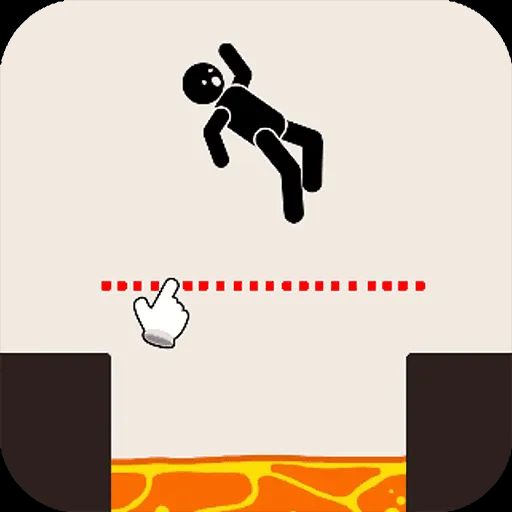
Picture this: a stick figure is about to get flattened by a falling anvil, roasted by a fireball, or launched into a pit of spikes. Your only weapon? A single line drawn with your mouse or finger. That's the beautifully simple, maddeningly addictive premise behind Draw Save Puzzle, a physics-based brain teaser that has become a staple of the unblocked games premium scene. It taps into the same "just one more try" itch that made games like Happy Glass and Brain It On so popular, but it adds its own twist with increasingly chaotic hazards and clever physics interactions.
The game's popularity makes total sense. It's instantly understandable, requires zero tutorial, and rewards creative thinking rather than reflexes. Whether you're sneaking in a quick session between classes or grinding through a full level pack at home, it's the kind of pick-up-and-play title that fits perfectly alongside the classics you'd find on unblocked games 76 or games unblocked cool math. No downloads, no waiting, just pure puzzle-solving dopamine.
The goal is straightforward: protect the little character from whatever danger is heading their way. You do this by drawing lines, ramps, shields, or bridges that redirect falling objects, block hazards, or guide your character to safety. The catch? You have a limited amount of "ink" per level, so you can't just scribble a giant wall and call it a day. Every stroke matters.
Physics does the rest. Your drawn lines become solid objects in the game world, and they interact realistically with gravity, momentum, and collisions. A well-placed diagonal ramp can send a rolling boulder harmlessly off-screen, while a poorly angled shield might just deflect danger straight back at your poor stick figure.
Desktop controls: Click and drag with your mouse to draw. Release to finalize the line. Most versions let you undo or reset with a quick button press.
Mobile controls: Tap and swipe with your finger to draw. The touchscreen actually feels more natural for this kind of game, giving you finer control over curves and angles.
1. Think about angles before you draw. Most hazards come in at a predictable trajectory. Instead of blocking them head-on, draw a slanted line that redirects the object's momentum away from your character. Deflection beats absorption almost every time.
2. Use the environment, not just your ink. Many levels have existing platforms, walls, or pivots. Anchor your drawn lines to these structures to save ink and create more stable solutions. A short line connecting two fixed points is often stronger than a long free-floating one.
3. Draw with purpose, not panic. When a level looks impossible, pause and trace the danger's path mentally. The winning solution is usually two or three clean strokes, not a frantic mess. If your first attempt fails, hit reset and rethink rather than adding more lines to a broken setup.
Yes, it's completely free and browser-based. You can jump in instantly without any downloads, accounts, or payments, which is exactly why it's such a hit on unblocked games g+ platforms.
Absolutely. The game works smoothly on both desktop and mobile browsers. Touch controls are actually a favorite among players because drawing curves with your finger feels more precise than a mouse.
Don't sweat it. Try approaching the puzzle from a completely different angle, literally. Sometimes the solution isn't about blocking the danger but about moving your character out of harm's way entirely. Reset, breathe, and experiment.