BUG REPORT
Tetra Blocks
Players who enjoyed Tetra Blocks also loved these












Hot titles being played across the platform
 HOT
HOT
 HOT
HOT
 HOT
HOT
 HOT
HOT
 HOT
HOT
 HOT
HOT
 HOT
HOT
 HOT
HOT
 HOT
HOT
 HOT
HOT
 HOT
HOT
 HOT
HOT
 HOT
HOT
 HOT
HOT
 HOT
HOT
 HOT
HOT
 HOT
HOT
 HOT
HOT
HOT
HOT
 HOT
HOT
Pick another awesome game and continue playing












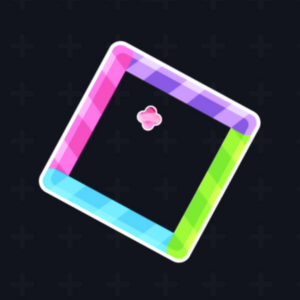
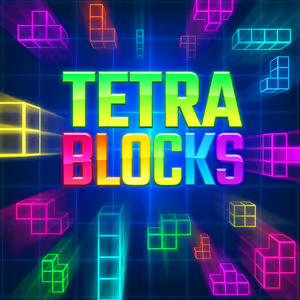
Tetra Blocks is the kind of puzzle game that quietly eats your entire lunch break. It takes the classic block-stacking formula you already know and love, polishes it into a clean, fast-loading browser experience, and drops it right into your school's game rotation. The premise is dead simple: falling shapes, tight spaces, and a board that fills up way faster than your confidence expects. That "just one more round" pull is exactly why it's become a staple on unblocked games for school lists everywhere — no downloads, no installs, just click and stack.
What makes it stand out from the sea of clone puzzle games is the responsiveness. The controls feel snappy, the pieces drop exactly where you want them, and the difficulty ramps up smoothly instead of slapping you in the face at level two. Whether you're killing five minutes between classes or grinding for a personal best, Tetra Blocks rewards patience and planning over button-mashing.
Your objective is straightforward: clear horizontal lines by filling them completely with falling blocks. Every line you clear disappears, shifts everything down, and bumps your score. Let the stack reach the top and it's game over.
Each block is made of four connected squares (a tetromino), and you can rotate and slide them as they fall. The real challenge is thinking two or three pieces ahead — where does this L-shape go so it doesn't leave an awkward gap I'll regret later?
Desktop controls:
Mobile controls: On phones and tablets, on-screen buttons handle movement and rotation, and a tap-and-drag system lets you place pieces with your thumb. It plays surprisingly well on touchscreens, making it a solid pick for classroom games unblocked on a Chromebook or tablet.
1. Keep your stack flat. The single biggest beginner mistake is building towers on one side. Aim for a level surface across the board — flat stacks give you maximum flexibility for whatever piece comes next.
2. Save the long bar for a big clear. Don't waste the straight I-piece on a single line. Park it to the side and wait until you've got three or four rows nearly full, then drop it for a massive combo.
3. Master the hard drop. Once you've decided where a piece goes, hit Spacebar to slam it down. It's faster, more accurate, and gives you more time to plan the next move. This alone can double your score.
Yes — it's completely free and runs right in your browser. No downloads, no hidden fees, just open it and play.
Absolutely. It's one of the most popular games unblocked cool math players reach for because it loads fast and doesn't require any software. Just make sure you're not supposed to be doing something else.
Yep. Tetra Blocks is fully playable on phones and tablets with touch controls, so you can enjoy this unblocked game anywhere you've got a browser and a few spare minutes.